Simulation & Gamification
Explore connected information with FlowBox, rehearse changes in separate scenarios, and help people learn through interactive games within HEPO.

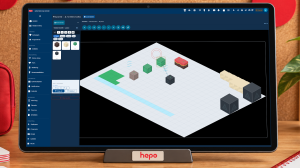
Explore connected work in HEPO: focus on a concern, inspect relationships and source context, and carry a clearer question into scenario rehearsal.
FlowBox is HEPO's interactive software for exploring connected information. A team selects a subject, reveals its relationships, and inspects the quantities, sources, and explanations behind the view. It belongs to Simulation & Gamification, alongside scenario rehearsal and learning activities.
Its useful result is a clearer account of the situation: a dependency the team can explain, a missing piece of evidence to investigate, or a proposal to examine in a separate scenario. The interaction makes understanding the activity itself; the business meaning comes from the information and models supplied to the experience.
A report can tell you that unfinished work is growing. The next question takes more effort: what connects that backlog to the rest of the operation?
You may need a delivery plan, an account of incoming requests, a capacity estimate and a conversation with the people doing the work. Each adds something useful. Bringing them into one understandable picture is often the hardest part of the meeting.
FlowBox gives connected information a world you can explore. Start with the subject that matters, follow its relationships and inspect the meaning behind what you see. Keep the surrounding situation visible as your questions become more precise.
Consider a project whose delivery date is approaching. New requests continue to arrive, work is waiting for review and the team is discussing whether additional capacity would help.
In a Works experience, you can focus on unfinished work and reveal its connections to incoming demand, delivery activity, capacity and the project's wider structure. Select a connected object to inspect its quantities and explanation. Follow a relationship to understand what it represents and what evidence or assumption supports it.
The group now has something specific to discuss. Does the view describe work currently waiting, a limit the team has set, or the rate at which work can be completed? Those are different quantities, and FlowBox keeps their definitions available.
| Quantity | What it means in the discussion |
|---|---|
| Unfinished work | A count of admitted items still waiting or in progress |
| Service capacity | Potential completions over a stated period, rather than simply the number of people |
| Completion rate | Work completed per unit of time |
| Work limit | A chosen threshold, distinct from the amount waiting and the rate of completion |
This is an illustrative situation. The information available in your experience depends on its sources and purpose.
FlowBox lets you begin with a manageable view and explore outward. Related information becomes available as you focus and reveal more of the situation. Where a subject contains further structure, you can examine that detail while retaining its relationship to the wider view.
This supports a useful rhythm in a meeting: establish the concern, follow one connection, inspect the detail, then return to the wider question. The group can stay with the situation instead of repeatedly rebuilding context across documents.
An indication of further information helps people understand where exploration can continue. When a path is incomplete or information is unavailable, the view preserves that limitation. What you have not yet examined should remain distinguishable from what does not exist.
Size, grouping, movement and other visual cues help direct attention. Their meaning belongs to the particular view. An object may be prominent because of a stated measure of significance; a connection may represent a dependency, a flow or an association.
Inspection provides the detail needed to interpret those cues: quantities, units, source context, relationship meanings and relevant assumptions. A visually compelling pattern can start a question. Its explanation helps the team decide whether the pattern answers that question.
Your view can use a relational Space or an abstract Graph, depending on the task. Other experiences use spatial environments where places and objects make the situation easier to understand. Explore the five perspectives →
When a process supplies recorded execution information, FlowBox can present its sequence for examination. Follow the reported steps, pause at a handoff and inspect a wait, branch or repeated attempt.
The value is in discussing an actual path with its context. A completion figure may tell you that work finished; the available sequence can help explain the journey. If the record contains a gap, the gap stays visible. Playback does not manufacture an event to make the story smoother.
A rehearsal has a different purpose. It shows a declared sequence or modeled outcome so that people can examine a possible situation. The experience identifies which kind of account you are exploring.
Focusing on an object, revealing its neighbors, or letting the layout settle changes the presentation. It does not, by itself, change the backlog or calculate the effect of adding capacity. Business quantities and model outputs come from the sources prepared for the experience.
This distinction matters when a view contains both records and illustrative relationships. A captured work count and an assumed relationship to satisfaction are different kinds of information. Inspection should make their basis clear before the group uses either in an explanation.
Understanding the current situation often produces a practical next question: what if we changed the incoming workload, adjusted a limit or increased capacity?
Where a suitable scenario is available, explore that question with its permitted inputs and model. Inspect the result alongside its assumptions and compare the alternatives that matter to the decision. The scenario has its own state; exploring it leaves the actual records unchanged.
See how scenario exploration works →
FlowBox gives operations leaders, process owners and colleagues a common place to examine connected work. A manager can hold the wider context while someone closer to the work inspects a particular relationship. Both can refer to the same information and see what remains uncertain.
The practical benefit is less manual reconstruction: fewer diagrams recreated for a meeting, fewer explanations detached from their source and fewer context switches while answering a follow-up question. The experience remains useful because people can continue exploring it.
Start with one area of work, identify the question and agree which information can support it. That gives the experience a purpose your team can evaluate.
Read a delivery and a process-delay example → · Understand the results →
Explore connected information with FlowBox, rehearse changes in separate scenarios, and help people learn through interactive games within HEPO.
Choose among Space, Graph, World, City, and Venue around the question, information, actions, and explanations your team needs.
Choose a starting situation, adjust permitted inputs, and compare modeled or rehearsed alternatives with their assumptions and authority boundaries clear.
Practise decisions through interactive activities, feedback, and discussion; connect games to development journeys without turning results into personal judgments.
Follow three illustrative HEPO sessions: delivery pressure, process delays, and shared learning, with preparation, participant actions, and useful next steps.
Interpret operational information, playback, scenarios, and exercise feedback using their sources, units, time, assumptions, and decision context.