Process Orchestration
Define and run business decision paths: gather evidence, route work, execute authorized steps, keep human approval gates, and review performance.

Use conversation to navigate, retrieve information, prepare supported records, and invoke enabled processes within the configured action and access boundaries.
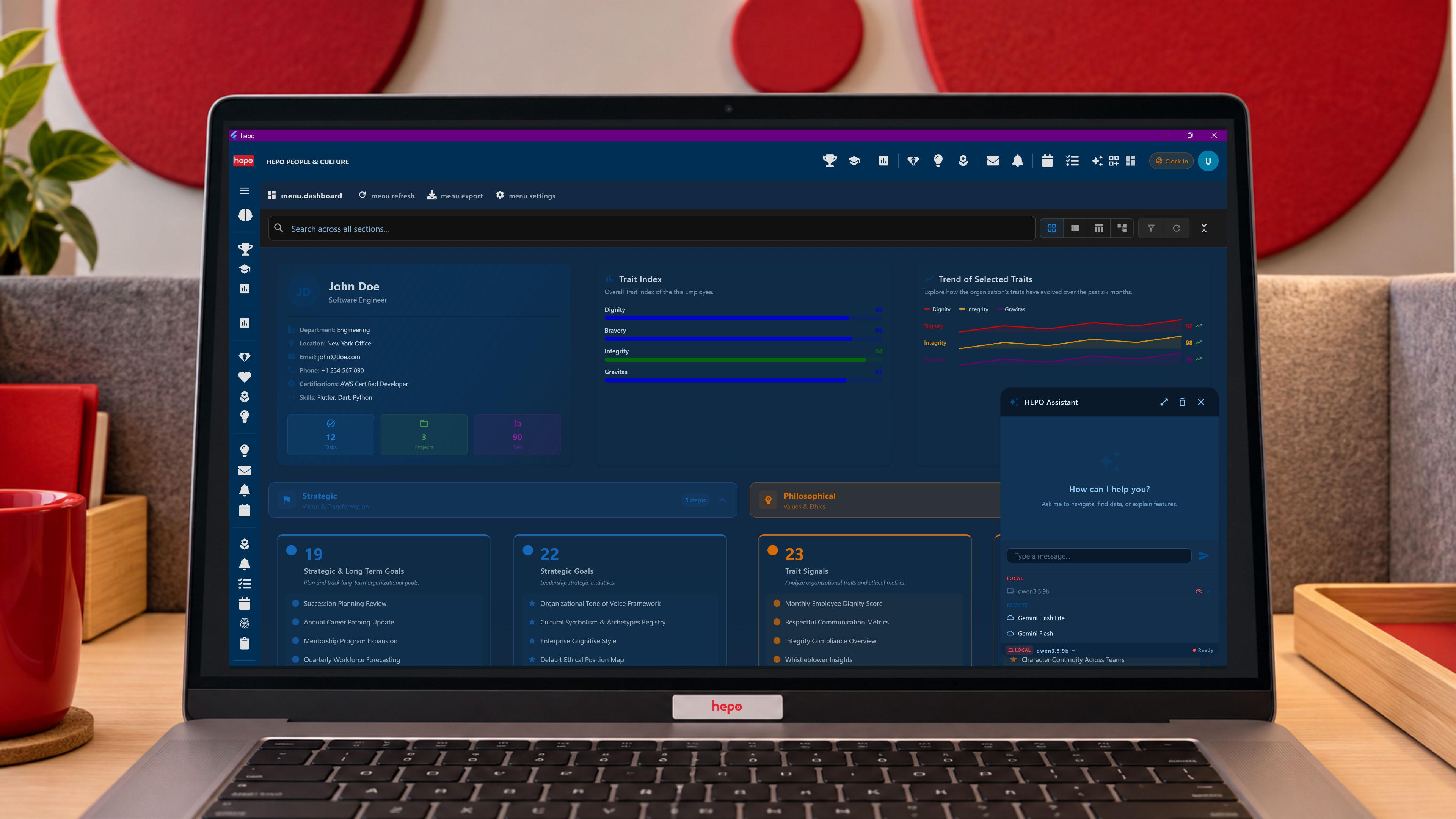
The HEPO Assistant is a conversational interface to available work in the platform. A user can ask for a destination, retrieve relevant information, prepare a supported action, or invoke an enabled process. The assistant connects that request to the application's own capabilities and can bring the result into the working interface.
Its module home is the Operational Core. This page explains its use in Process Orchestration: helping a user reach the process while the orchestrator executes the defined path and the responsible person retains the required decision authority.
An operator wants to find the quotation awaiting review and examine the available context. The assistant can help reach the relevant view through the enabled navigation and retrieval capabilities. If a process action is available, it can present the proposed invocation and request confirmation where configured.
The process then carries out its permitted steps. A business approval still belongs to the reviewer identified by the workflow. The result may appear as a message, a refreshed view, or navigation to the next relevant record.
The practical value is a shorter route from a question to usable work. A sentence does not create a missing integration, grant access to protected data, or make an undefined process available.
| Capability | The useful action | What establishes its reach |
|---|---|---|
| Navigate | Find and open an appropriate screen or record view | Available routes, supported resolution, and access |
| Retrieve | Search or request information from connected platform sources | Enabled retrieval, source coverage, and permissions |
| Prepare or change records | Compose content or initiate a supported record operation | Registered operations, required inputs, validation, and review arrangements |
| Run a process | Invoke a process available to the user | Process registration, enabled actions, authorization, and confirmation policy |
| Accept voice input | Use speech as an input to the conversation | Voice support enabled in the deployment |
For example, finding where credential renewals are handled differs from starting a renewal process. Retrieving a programme record differs from changing it. The demonstration should make the requested operation and its result visible enough for the user to recognize the distinction.
The assistant's scope is established during implementation. The presence of a screen or process somewhere in the platform does not, on its own, mean every conversational request can reliably reach it.
The assistant uses typed instructions understood by the application. Navigation opens a destination; behavior instructions can refresh or highlight a view; messages present a reply; execute instructions invoke a process; canvas instructions interact with the supported visual workspace.
This is a native connection to the application. The assistant communicates through registered actions and interface instructions rather than inferring button locations from a generated screen image. Smart Operations explains those instruction families and how results reach operators and administrators at different depths.
Conversation, pending-instruction retrieval, and polling provide the connection for immediate and longer-running responses. A request to begin work and a confirmed result of that work remain different states.
The organization decides which capabilities are enabled for the intended users. Access checks still apply to the process and information involved. The assistant is an access route to permitted work, not a new authority above the organization.
Execute instructions support confirmation. When required, the operator can examine the proposed action and approve or cancel before invocation. Other permitted operations can be configured without a fresh confirmation dialog. The process design separately establishes the human gates for consequential business decisions.
A reviewer should therefore ask two questions: what can the assistant invoke, and where does the process itself require a person's decision? Security Follows the Actor connects those questions to permissions and execution context.
A useful retrieval or draft gives the user enough source context to review the result. Model-generated content still needs interpretation: a fluent summary may omit a qualification, and incomplete source data limits what a response can establish. The organization selects the sources and review arrangements appropriate to the use.
HEPO's deployment approach uses local inference on the customer's infrastructure. Implementers establish the local model service and supported tools, together with the permitted integration boundaries. Model access is a capability of the worker; it does not make every proposed action correct or authorized.
Start with an operator asking for a real kind of case. Follow the navigation or retrieval, inspect the proposed action, confirm it where required, and examine the result. Include an unavailable operation or denied action so the organization can see how the configured experience handles its limits.
Operators contribute the language of their work. Implementers connect supported actions and sources; administrators establish access and configuration; the delivery partner helps the team adopt and review the experience.
Process Orchestration overview ? How the Orchestrator runs the path
Bring us a routine request you want to carry through into work.